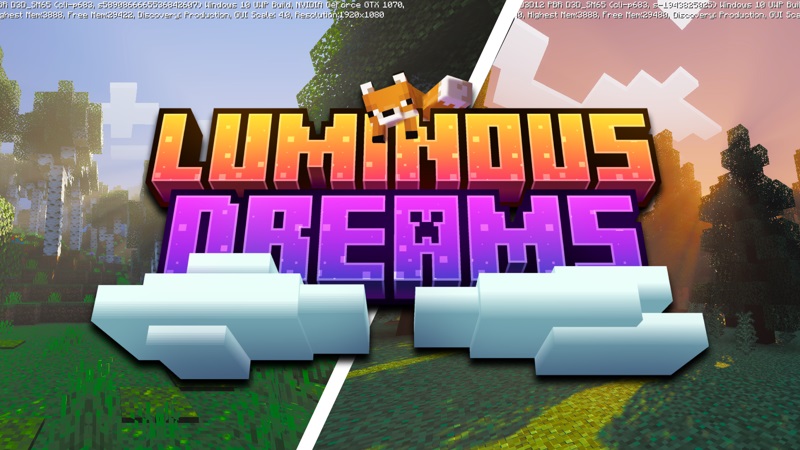
Luminous Dreams Shader Transform Your Minecraft
Luminous Dreams Shader is a feature-rich graphical enhancement for Minecraft Bedrock Edition (MCPE). Created for players who value both beauty and performance, it reshapes lighting, color, and atmosphere without sacrificing frame rate.
This shader runs on the Render Dragon engine, the advanced graphics system behind modern Bedrock versions. It focuses on a dreamlike visual style—glowing sunsets, gentle shadows, and luminous reflections that feel alive yet remain true to Minecraft’s blocky charm.
You don’t need a powerful PC or complex setup. Whether you play on Android, iOS, or Windows, Luminous Dreams Shader is lightweight, fast, and easy to install. It’s built for builders, explorers, and content creators who want their Minecraft worlds to look cinematic and emotional.
Why Players Love It
Builders See Their Creations Come Alive
If you love building, you’ll immediately notice how Luminous Dreams Shader adds life to every block. Light filters through glass, stone shines with soft reflections, and colors appear richer. Even simple builds gain depth and realism that make them look handcrafted and professional.
Explorers Feel the World’s True Atmosphere
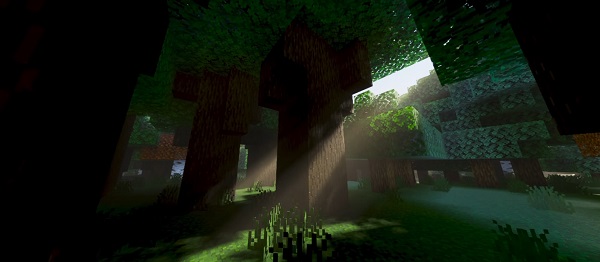
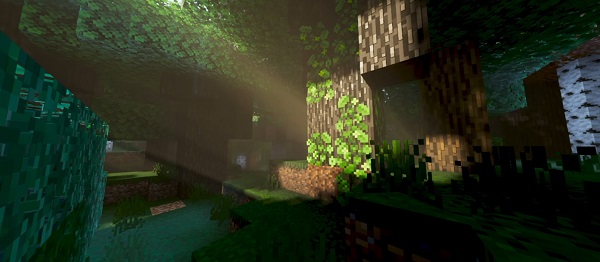
Exploring becomes an entirely new experience. Forests glow at sunrise, caves look naturally lit, and desert sands radiate golden warmth. Every biome feels distinct—lush, foggy, or bright—thanks to enhanced tone mapping and atmospheric lighting.
Survival Players Enjoy Balanced Visibility
Nighttime is no longer a struggle. Torches and lanterns emit realistic light that keeps the game playable without losing its mystery. The shader maintains visibility and atmosphere simultaneously, making every adventure feel cinematic yet practical.
Content Creators Gain a Cinematic Edge
For creators making videos, screenshots, or short clips, Luminous Dreams Shader provides instant production value. Bloom effects, sun rays, and ambient color grading transform your scenes naturally—no editing required. Perfect for YouTube, TikTok, or server showcases.
Mobile and Tablet Players Get Smooth Performance
The shader’s optimization is impressive. Even on mid-range phones, it maintains 40–60 FPS, and on newer tablets or PCs, performance can exceed that. You can enjoy vibrant visuals and reflections without lag or overheating.
Visual Features That Matter Most
| Feature | Description |
|---|---|
| Dynamic Lighting & Shadows | Real-time day/night transitions with soft ambient shading. |
| Physically Based Rendering (PBR) | Surfaces react realistically to light—metals, wood, and glass each reflect differently. |
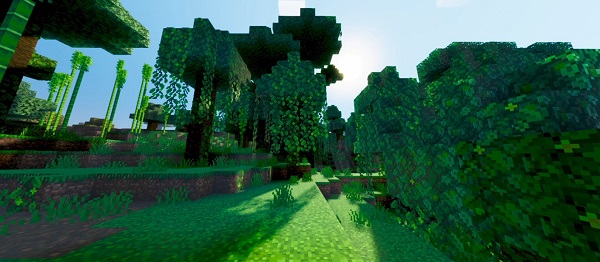
| Bloom & Sun Rays | Adds cinematic glow and subtle beams that make environments feel alive. |
| Atmospheric Scattering | Smooth color fade and natural depth for distant terrain. |
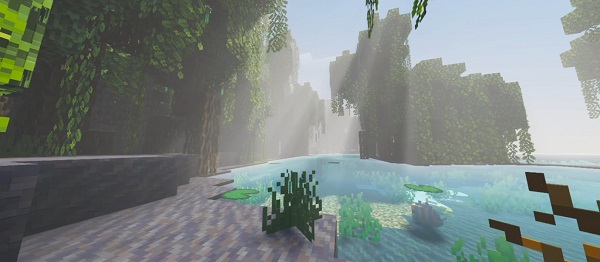
| Water Caustics & Reflections | Water ripples and reflects surroundings beautifully. |
| Biome Tone Mapping | Each biome gets distinct light, temperature, and mood. |
Every effect works together to create the shader’s signature dreamlike tone—soft, glowing, and deeply immersive.
Performance on Mobile Devices
One of the reasons Luminous Dreams Shader stands out is its efficiency. It’s built for Bedrock’s mobile engine, ensuring a smooth experience across Android, iOS, and Windows 10/11.
Performance Tips
- Set render distance to 10–12 chunks for stability and smoothness.
- Adjust bloom and reflection quality based on your device’s specs.
- Use Balanced Mode to maintain both visuals and performance.
Its intelligent design ensures fluid motion, even during heavy gameplay or recording sessions. You can explore, build, and create content without lag or frame drops.
Best Shader Settings for MCPE Players
Fine-tuning settings can help you find the perfect balance of style and speed:
- Brightness: 60–70% for natural visibility.
- Render Distance: 10–12 chunks recommended.
- Reflection Quality: Medium for phones, High for tablets or PCs.
- Bloom Intensity: Medium – bright without glare.
- Color Temperature: Slightly warm adds comfort; cool tones feel realistic.
- Water Effects: Keep medium for performance, high for aesthetics.
Suggested Presets
- Balanced Mode: Medium reflections, soft bloom – everyday gameplay.
- Cinematic Mode: Max bloom and reflections – best for screenshots.
- Performance Mode: Low reflections, minimal bloom – older devices.
Tips for Capturing Stunning Screenshots
Make your worlds photo-ready with these creator-tested techniques:
- Capture at sunrise or sunset for golden tones.
- Use cinematic or third-person view for dynamic composition.
- Adjust FOV between 60–70 for realistic scale.
- Frame scenes near water or glass for reflections.
- Avoid bright white blocks under strong bloom.
- Experiment with different biomes to capture unique moods.
Pro Tip: Share your best shots and credit the shader—supporting creators keeps the community thriving!
Conclusion
Luminous Dreams Shader doesn’t just change how Minecraft looks—it changes how it feels. Its blend of realistic light, smooth performance, and cinematic warmth gives every build, biome, and adventure a new emotional depth.
Whether you’re crafting an architectural masterpiece, exploring biomes, or creating content, this shader offers the perfect balance between beauty and playability. Easy to install, endlessly customizable, and optimized for every MCPE player—it’s your ticket to seeing Minecraft in a whole new light.
Transform your world. Play with atmosphere. Experience the art of Minecraft with Luminous Dreams Shader.