Expansive Biomes Addon – Explore 13 New Worlds in Bedrock
If you’ve been searching for new adventures in Minecraft Bedrock Edition, the Expansive Biomes Addon is your next must-try download. Built for MCPE (Minecraft Pocket Edition), this addon expands your world with over a dozen handcrafted biomes—each filled with unique terrain, vegetation, and life—while keeping your gameplay smooth on mobile.
Whether you prefer Survival Mode, Creative building, or designing adventure maps, this addon transforms familiar landscapes into vibrant ecosystems waiting to be explored.
What You’ll Get with Expansive Biomes Addon
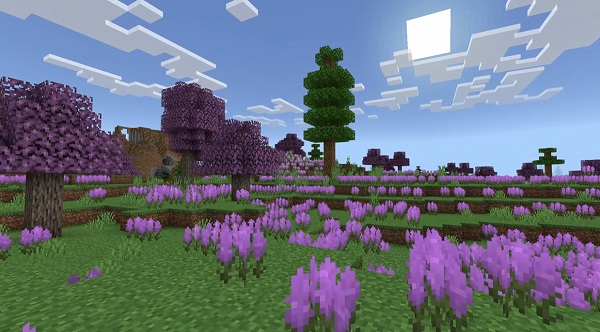
The Expansive Biomes Addon introduces 13 new biomes, fresh flora, custom mobs, and improved terrain generation for Minecraft Bedrock. Every biome feels distinct, blending realism with creativity.
Highlights:
Crystal Caverns, Frostpeak Mountains, Crimson Marsh, Sunset Savanna — and more.
New flora and fauna such as vine blossoms, gem trees, Ice Wolves, and Crimson Frogs.
Optimized algorithms for fast loading and low battery usage.
Compatible with most Bedrock shaders and texture packs.
It’s lightweight yet immersive, giving you high-quality world generation without the lag common in heavy biome packs.
Installation Guide for MCPE / Bedrock Edition
Installing is quick and safe:
Download the Addon (.mcaddon) from a trusted MCPE source.
Open with Minecraft. It imports automatically into Bedrock.
Activate both Resource and Behavior Packs in your world settings.
Enable Experimental Features for full biome generation.
Create a new world to see the new terrain appear naturally.
Tip: If you don’t see new biomes, re-import the file and clear cache. Always back up your worlds before adding new content.
Exploring the Biomes – Tips for Finding Each Type
Exploration is where Expansive Biomes Addon shines.
Each biome merges seamlessly with existing terrain, making discovery feel natural and rewarding.
Biome Highlights
Crystal Caverns: Deep underground glow caves filled with crystals and reflective water.
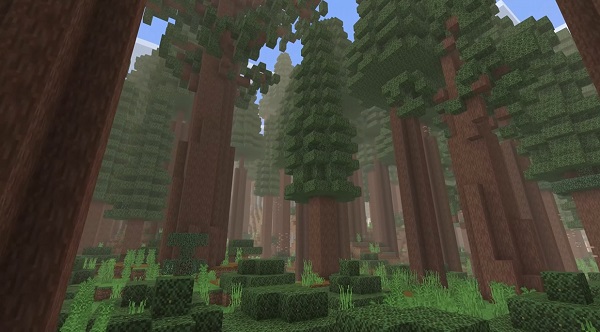
Frostpeak Mountains: Snow spires and pine forests where Ice Wolves roam.
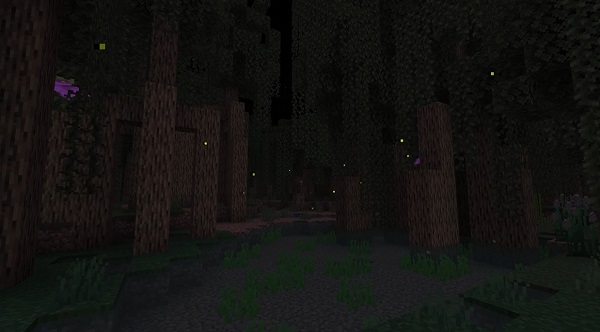
Crimson Marsh: Red-tinted wetlands alive with frogs and dense mangroves.
Sunset Savanna: Golden grasslands with towering baobabs and ostriches.
Exploration Tips
Enable coordinates to track rare biomes.
Use locator maps to mark points of interest.
Bring boats and beds for long journeys.
Start fresh for optimal biome generation.
Resource Gathering – New Materials and Their Uses
Each biome adds exclusive resources that enrich crafting and building:
| Resource | Found In | Primary Use |
|---|---|---|
| Crystal Shards | Crystal Caverns | Craft decorative gem blocks |
| Frostwood Logs | Frostpeak Mountains | Blue-tinted building material |
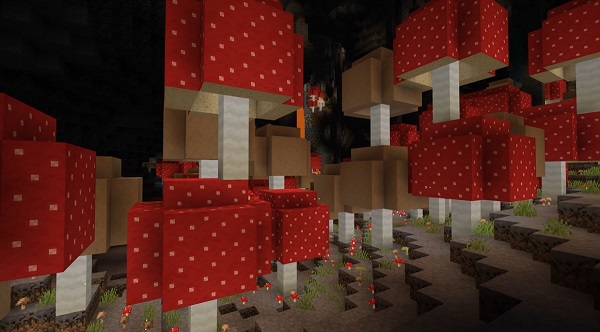
| Spore Mushrooms | Underground areas | Natural light source |
| Ostrich Feathers | Sunset Savanna | Lightweight armor crafting |
In Survival Mode, these materials encourage experimentation and resourceful crafting for tools, lighting, and decor.
Taming & Farming Mobs – Best Practices
The addon brings your world to life with interactive creatures:
Ice Wolves: Tame with fish for companionship and protection.
Crimson Frogs: Peaceful amphibians that add ambient sound and animation.
Savanna Ostriches: Fast, non-aggressive birds that drop feathers.
Farming Tips
Build small biome-themed habitats (frog ponds, ice dens).
Keep mob numbers balanced for smooth performance.
Use tamed animals for defense and aesthetic companionship.
Performance Optimization – Keeping Gameplay Smooth
Performance is a core strength of Expansive Biomes Addon. It’s optimized for mobile devices and low-spec systems.
Optimization Tips
Use 16×16 texture packs for steady FPS.
Reduce render distance in dense biomes.
Avoid running too many addons at once.
Clear temporary files regularly to prevent crashes.
You’ll enjoy richer worlds without losing smooth gameplay — a rare balance for biome expansions.
Best Texture & Shader Combinations
Enhance your world’s look and feel with lightweight visual upgrades:
Vibrant Lighting Shaders for natural color contrast.
Realistic Shadow Packs to bring depth to mountain ranges.
16×16 Texture Packs for mobile stability and crisp visuals.
Pro Tip: Test combinations in a new world to avoid cache conflicts or performance drops.
Troubleshooting Common Addon Issues
If something goes wrong:
Missing Biomes: Re-enable experimental features and re-import the addon.
Crashes/Lag: Lower render distance and close background apps.
Invisible Mobs: Activate both resource and behavior packs.
Old Version: Keep Minecraft Bedrock updated for best results.
Quick maintenance keeps your world running smoothly and your biomes looking their best.
Extra Tips for Builders & Mapmakers
Creative players can turn this addon into a canvas for imagination:
Build crystal castles, frozen villages, or lush marsh hubs.
Combine biomes for natural transitions in adventure maps.
Add quests or loot challenges based on specific biome themes.
Its visual variety makes the Expansive Biomes Addon a perfect foundation for story-driven worlds and creative projects.
Summary – Explore, Build, and Thrive in 13 New Worlds
The Expansive Biomes Addon turns Minecraft Bedrock into a living, ever-changing world.
With new landscapes, resources, and creatures, it re-energizes exploration for every type of player.
Easy to install, light on resources, and full of possibilities — it’s an essential upgrade for your MCPE experience.
Start your journey today and discover what awaits in the Expansive Biomes Addon — where each biome tells a new story and every explorer finds their own path.