Wallpapers Addon Custom Wall Designs for Bedrock
The Wallpapers Addon is built for Minecraft Bedrock Edition players who want more control over interior design without complicating gameplay. By adding custom wall patterns and decorative styles, this addon helps turn plain rooms into inviting spaces while staying mobile-friendly and easy to use. If you enjoy building homes that feel personal, immersive, and complete, this addon fits naturally into your world.
Introduction: What Is Wallpapers Addon?
The Wallpapers Addon is a decorative enhancement that expands how you customize interior walls in Minecraft Bedrock Edition and MCPE. In vanilla gameplay, wall decoration often depends on repeating blocks like concrete, wool, or wood. While useful, these options can feel limiting once you start focusing on interiors.
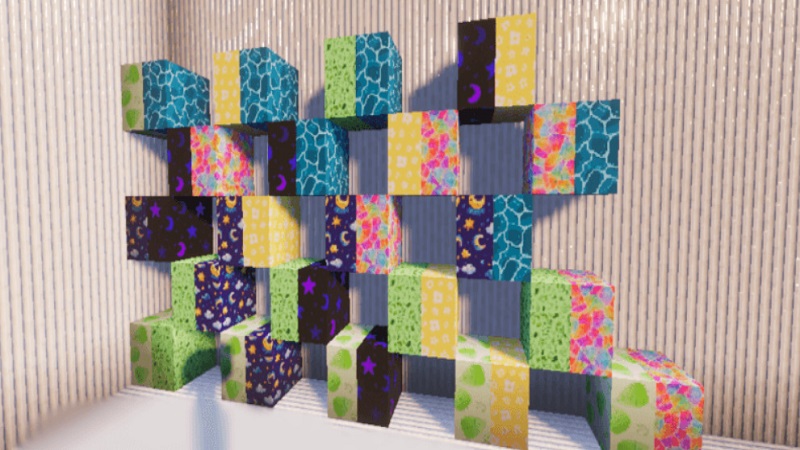
This addon introduces wallpaper-style designs that add visual variety without changing how Minecraft works. You place, build, and decorate as usual—only now your interiors can reflect different moods and themes. Designed with Bedrock platforms in mind, the Wallpapers Addon focuses on simplicity, accessibility, and stable performance for mobile players.
Main Features
The Wallpapers Addon delivers practical features that enhance interior design while remaining easy to understand.
Key highlights include:
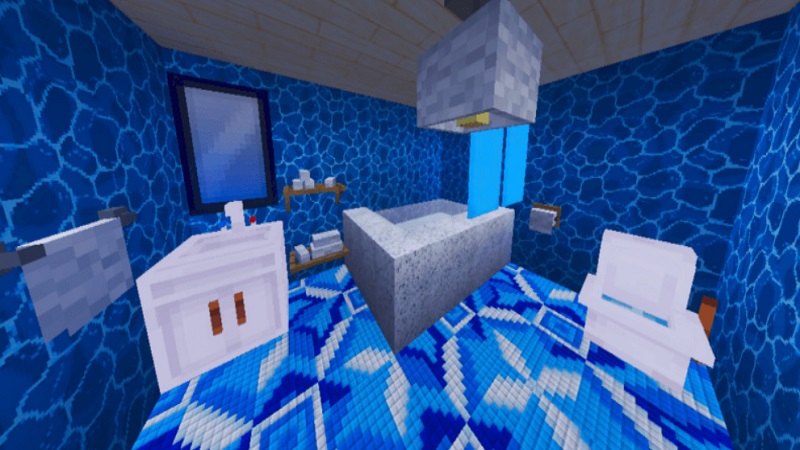
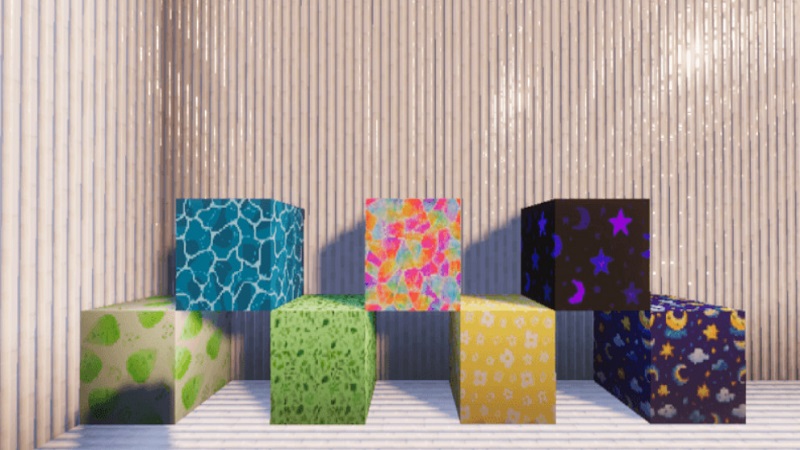
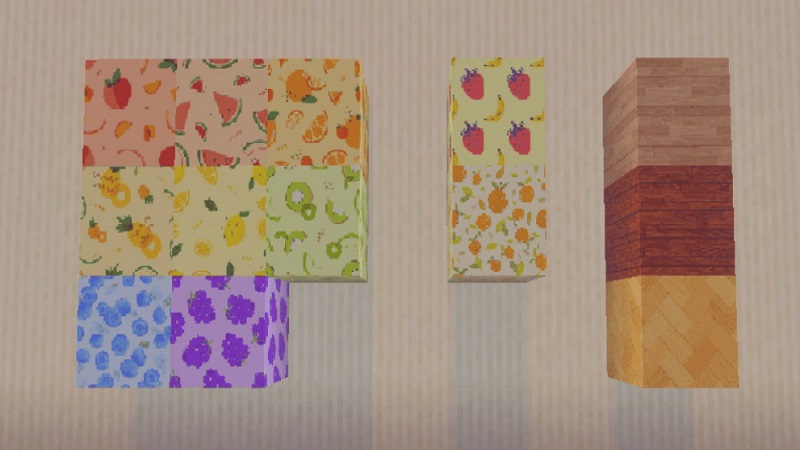
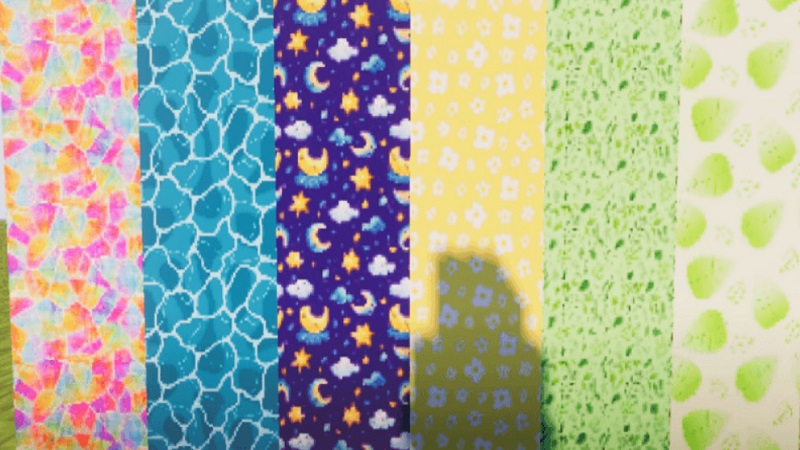
- Multiple wallpaper styles suited for modern, classic, minimal, and decorative builds
- Simple placement mechanics that feel natural during normal building
- Support for Creative and Survival modes
- Lightweight design optimized for MCPE and Bedrock devices
One of the addon’s strengths is its design variety. Instead of relying on one wall texture everywhere, you can match wallpapers to specific rooms or themes. A modern house can feel clean and structured, while a roleplay shop or apartment gains personality through subtle wall details.
How to Use in MCPE
Using the Wallpapers Addon in MCPE is straightforward. Wallpapers act as decorative elements that you apply while building or renovating interiors. You can place them as you would other interior blocks, making the process intuitive even for new players.
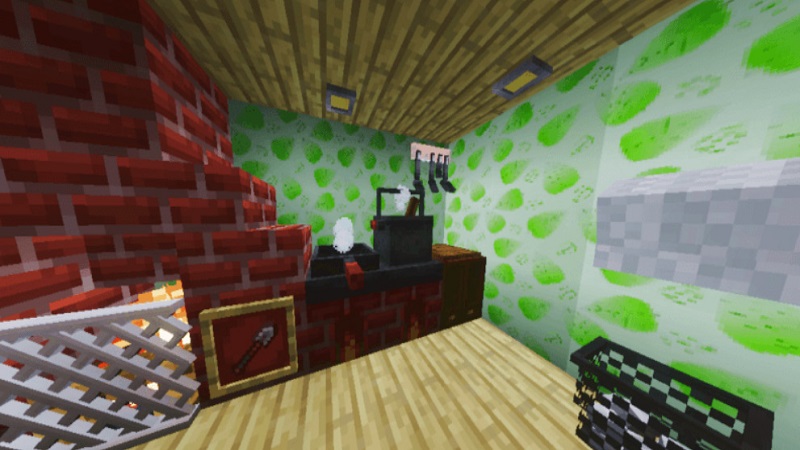
Because the addon blends smoothly into normal gameplay, you do not need to change your building habits. You can add wallpapers to existing worlds or use them from the start in new projects. On mobile devices, where ease of use matters most, the clear mechanics help you decorate quickly without frustration.
Best Use Cases
The Wallpapers Addon shines in builds where interiors matter.
- Survival bases: Bedrooms, living areas, and storage rooms feel more personal
- Roleplay builds: Hotels, apartments, shops, schools, and offices gain atmosphere
- Custom maps: Adventure worlds benefit from stronger visual storytelling
- Multiplayer worlds: Interiors stand out while staying consistent with Minecraft’s style
Imagine returning to your survival base after a long mining session and stepping into a room that actually feels like home. Small details, like wall patterns, often make the biggest difference.
Compatibility & Performance
The Wallpapers Addon is designed for Minecraft Bedrock Edition, including MCPE. It works across supported Bedrock platforms without demanding advanced hardware or complex setup.
Because it focuses on decorative visuals rather than gameplay mechanics, it pairs well with most resource packs and visual enhancements. Its lightweight structure helps maintain stable performance, which is especially important for mobile players. As always, keeping backups and using updated versions ensures the best experience.
Why Choose This Addon?
Players choose the Wallpapers Addon because it expands interior design options without adding unnecessary complexity. It offers more creative freedom than vanilla wall blocks while staying easy to use.
This addon suits:
- Casual players decorating a single base
- Builders who care about interior detail
- Roleplay players creating immersive environments
By keeping mechanics simple and visuals flexible, the Wallpapers Addon supports creativity without overwhelming you.
Final Notes & Tips
To get the most from the Wallpapers Addon, combine wall designs with smart lighting such as lanterns or soft light sources to enhance room atmosphere. Mixing different wallpaper styles within one build can also add contrast and define separate spaces.
Always back up your world before installing new addons, and check for updates to access improvements or new designs. Over time, wallpapers can become a core part of how you approach interior building—helping your Minecraft worlds feel more lived-in and personal.