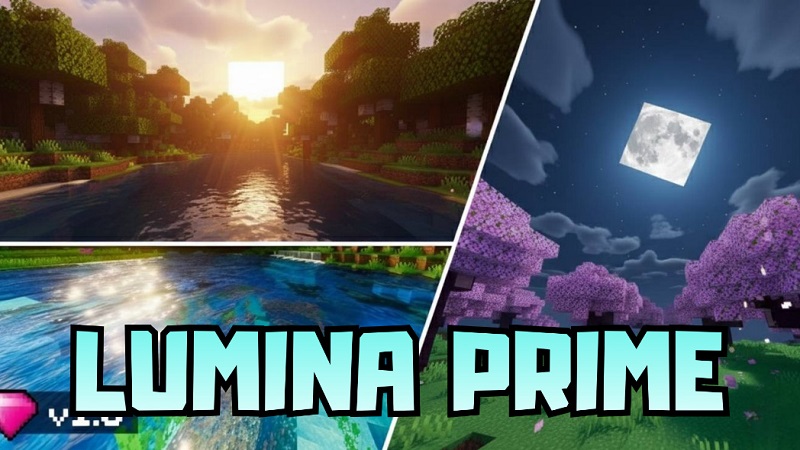
Lumina Prime Shader Cinematic Lighting for MCPE
Minecraft Bedrock Edition is loved for its flexibility across mobile and console devices, but if you’ve spent enough time in the same worlds, the visuals can start to feel flat. Lumina Prime Shader was created to change that. Designed specifically for MCPE, this shader enhances lighting, atmosphere, skies, and water while keeping performance a top priority. You get a more cinematic look without altering gameplay mechanics or overwhelming your device.
If you enjoy exploring, building, or simply relaxing in Minecraft with better visuals, Lumina Prime Shader offers a refined upgrade that feels natural rather than excessive.
What Lumina Prime Shader Brings to MCPE
Lumina Prime Shader focuses on visual polish rather than dramatic stylistic changes. It enhances how light behaves, how environments feel, and how worlds look throughout the day.
Built for Minecraft Bedrock Edition 1.21 and newer, the shader works across mobile phones, tablets, and consoles. It avoids complex effects that usually cause lag, making it suitable for players who want visual improvements without relying on high-end hardware.

Instead of replacing Minecraft’s identity, Lumina Prime Shader improves what’s already there—subtle, clean, and immersive.
Key Visual Features
Lumina Prime Shader enhances several core visual systems in MCPE, creating depth and atmosphere while keeping a familiar vanilla style.
Cinematic Lighting and Soft Shadows
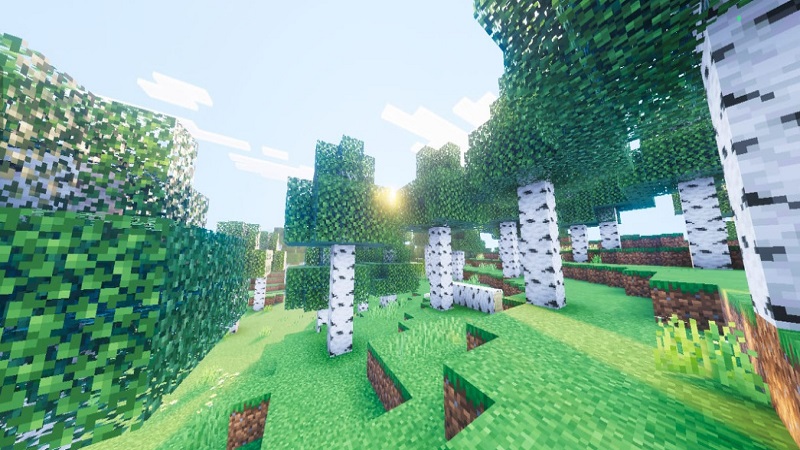
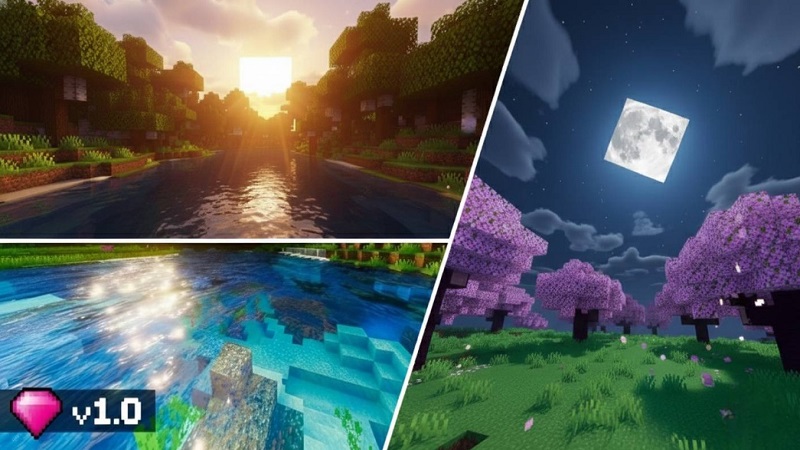
Lighting feels smoother and more natural, especially during sunrise and sunset. Shadows are soft and dynamic, adding depth to terrain, trees, and builds without making areas too dark. This helps your creations stand out while keeping gameplay comfortable in both Creative and Survival modes.
Dynamic Sky and Atmospheric Effects
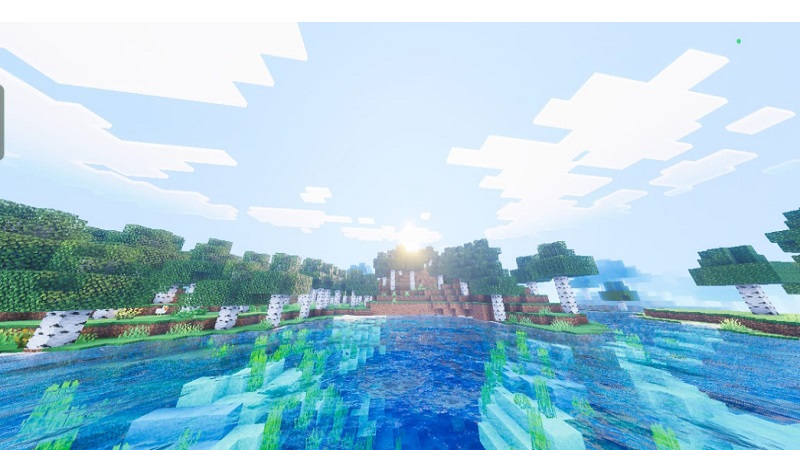
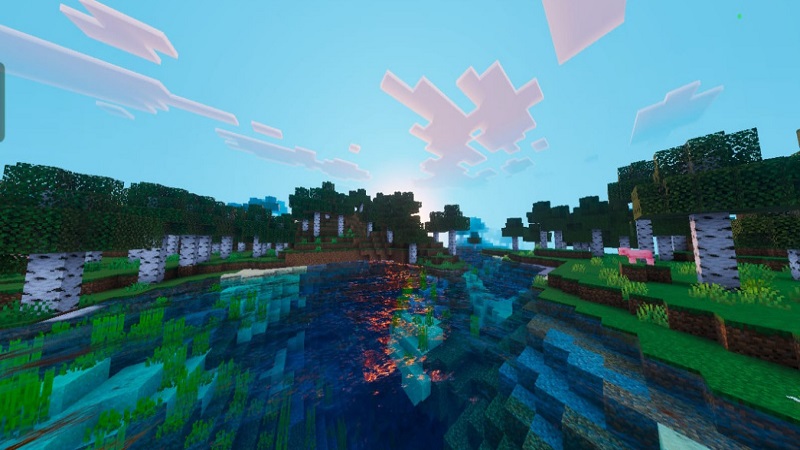
The sky changes more smoothly throughout the day, with richer color transitions and warmer lighting during golden hours. Light atmospheric fog adds distance depth, making mountains, forests, and plains feel larger without blocking visibility.
Enhanced Water Visuals
Water looks clearer and more alive thanks to improved transparency and gentle wave movement. Reflections respond naturally to light, making rivers, oceans, and coastlines more enjoyable to explore. Underwater areas feel brighter, encouraging ocean builds and exploration.
Bloom and Subtle Glare Effects
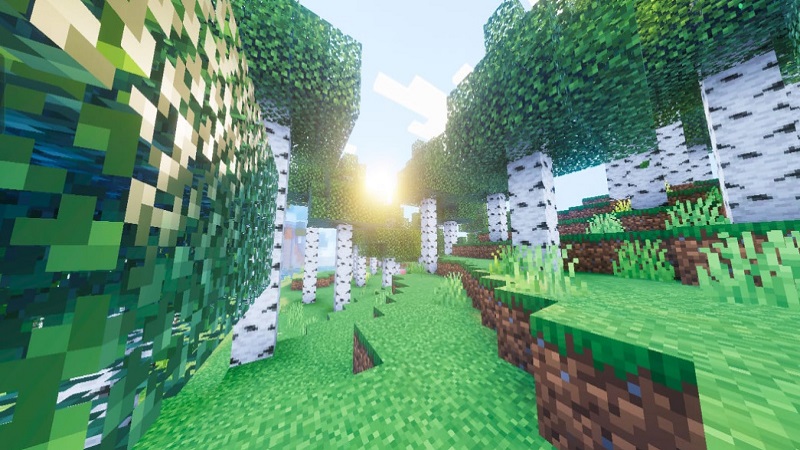
Light sources such as torches and sunlight receive soft bloom effects. These glows highlight edges and surfaces without overwhelming the screen, keeping long play sessions comfortable on mobile devices.
Performance and Device Compatibility
One of the biggest advantages of Lumina Prime Shader is its balance between visuals and performance. It’s designed with MCPE limitations in mind, making it a practical choice for mobile and console players.
To get the best experience:
- Keep render distance between 8–12 chunks
- Use lightweight or vanilla-style texture packs
- Avoid stacking multiple heavy visual addons
Performance can vary depending on your device, but Lumina Prime Shader aims to stay smooth on mid-range hardware.
Gameplay Experience
Lumina Prime Shader enhances how Minecraft feels without changing how it plays.
Exploration becomes more immersive as lighting adds depth to caves, cliffs, and forests. Landscapes feel less flat, and distant terrain blends more naturally into the horizon. Builders benefit from improved lighting that highlights structure details, making bases and cities look more polished.
In survival gameplay, visibility remains clear and practical. Day and night transitions feel smoother, helping the world feel alive without interfering with gameplay decisions. It’s a visual refresh that supports long sessions without causing eye strain.
How to Enable Lumina Prime Shader in MCPE
Activating Lumina Prime Shader is simple and beginner-friendly:
- Add the shader to your Minecraft resource packs
- Open Settings → Global Resources
- Activate Lumina Prime Shader
- Load or restart your world if needed
No advanced setup or external tools are required, making it accessible for all MCPE players.
Who This Shader Is Best For
Lumina Prime Shader is ideal for:
- MCPE players who want better visuals without lag
- Builders showcasing detailed creations
- Explorers who enjoy scenic worlds
- Mobile and console users seeking cinematic atmosphere
- Players who prefer refined, vanilla-style enhancements
Final Notes and Compatibility Tips
For best results, test the shader in a Creative world before committing to long survival sessions. Pair it with lightweight texture packs, adjust settings based on your device, and keep Minecraft updated to maintain compatibility.
Lumina Prime Shader is designed to enhance your world—not overpower it—making it a strong visual upgrade for a wide range of MCPE players.