Clean Dark UI Texture Pack Modern MCPE UI
If you play Minecraft Bedrock Edition on your phone or tablet, you probably spend more time in menus than you realize. Crafting, sorting items, changing settings, chatting with friends—these actions shape your daily experience. The Clean Dark UI Texture Pack was created to improve exactly that part of the game.
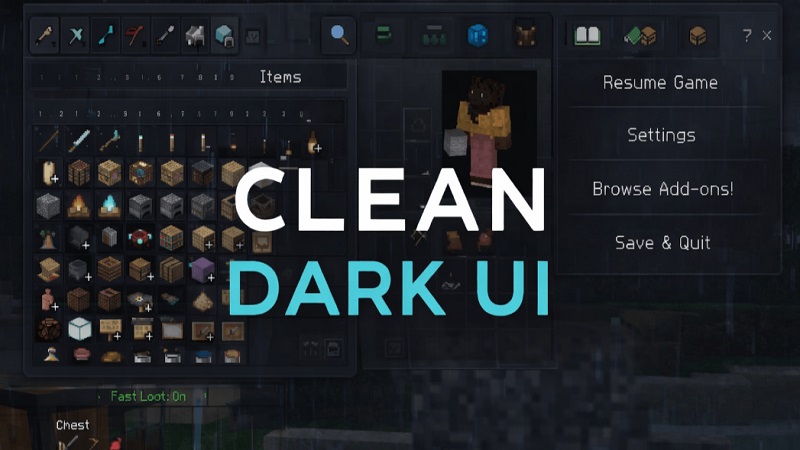
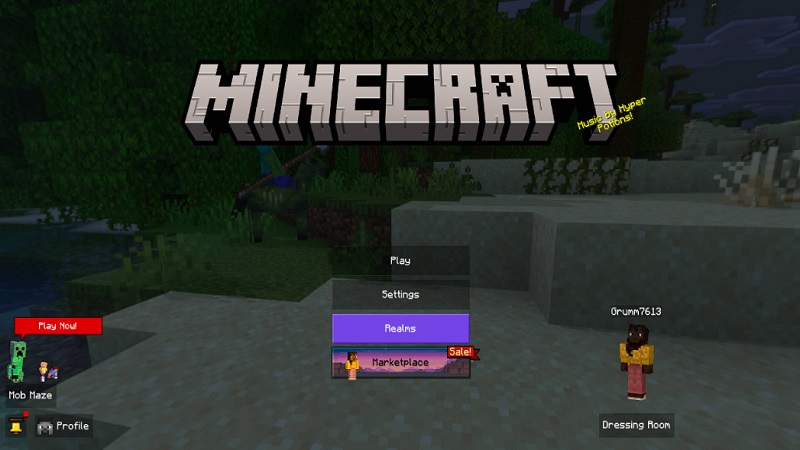
Instead of modifying blocks, mobs, or gameplay mechanics, this resource pack focuses entirely on the Minecraft user interface. It replaces the bright vanilla menus with a darker, cleaner, and more modern UI that feels comfortable on mobile screens. For MCPE players who value clarity and ease of use, this pack offers a noticeable quality-of-life improvement without changing how Minecraft plays.
What Makes This UI Different from Vanilla
The default Bedrock UI works, but it often feels too bright and crowded, especially on smaller displays. Long play sessions can become tiring when menus are full of sharp contrasts and busy visuals.
The Clean Dark UI Texture Pack takes a more refined approach:
- Darker color tones reduce visual strain
- Simplified layouts make menus easier to scan
- Important elements stand out without extra clutter
You don’t need to relearn the interface. Everything stays familiar, just presented in a cleaner and more balanced way.
Key UI Changes & Visual Highlights
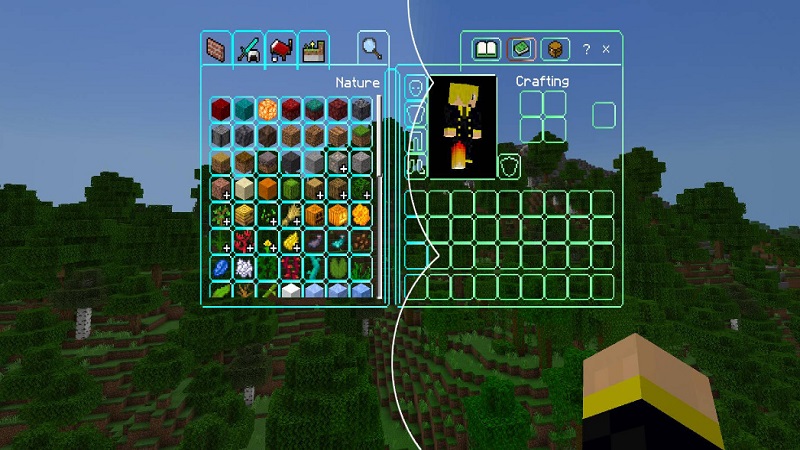
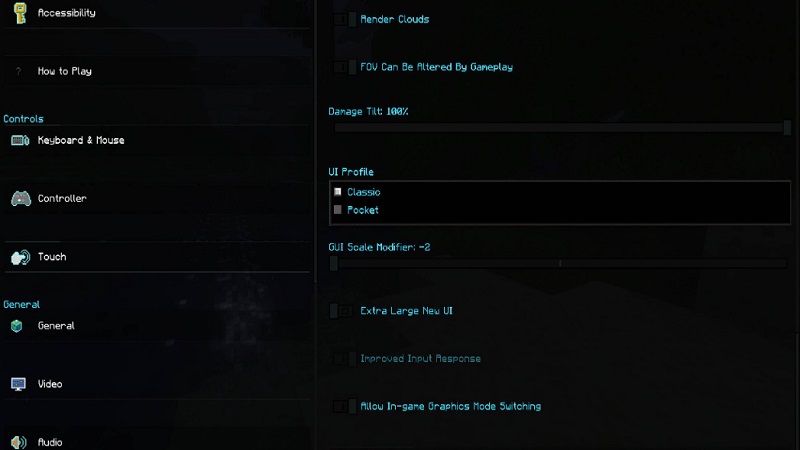
This texture pack introduces subtle but effective visual upgrades across the entire interface. Inventory screens, crafting menus, settings, and chat windows use dark backgrounds with carefully balanced contrast.
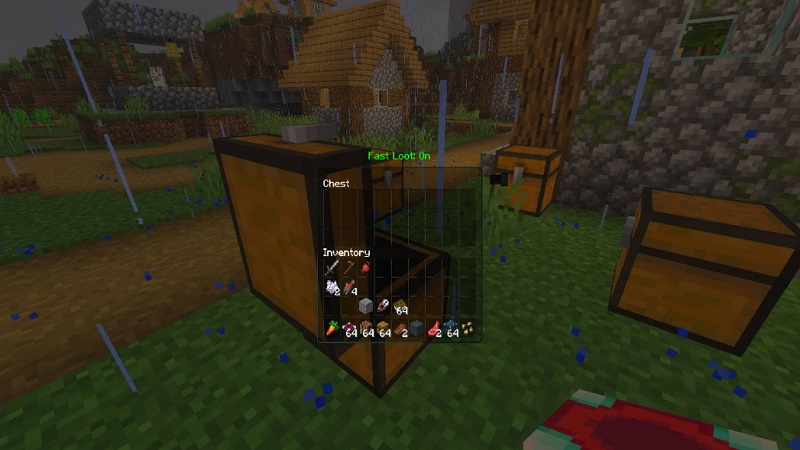
Key highlights include:
- Clearer item names and tooltips
- Refined buttons and UI panels
- Cleaner inventory slots and selection borders
- Consistent design across all menus
These changes help you identify items faster and navigate menus more comfortably, especially during active gameplay.
How It Improves the MCPE Experience
On MCPE, screen size matters. Bright interfaces can feel overwhelming, particularly during long survival sessions or late-night play. The Clean Dark UI Texture Pack reduces glare and makes menus easier to look at for extended periods.
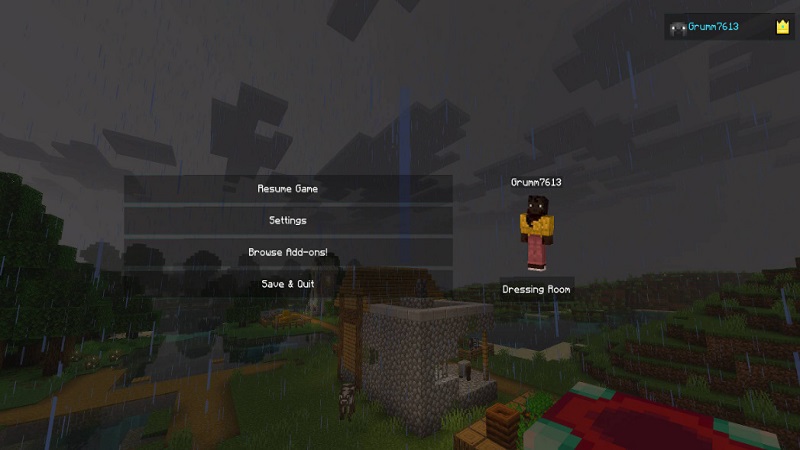
Touch navigation also feels more natural. Buttons are clearer, spacing feels intentional, and the overall interface becomes less distracting. Whether you’re trading, crafting, or managing storage, you spend less time fighting the UI and more time enjoying the game.
Mobile Optimization & Touch Controls
This pack is designed with mobile interaction in mind. Buttons are easy to tap, visual feedback is clear, and menu elements remain readable even on smaller screens.
The UI works well on:
- Phones and tablets
- Different screen resolutions
- Portrait and landscape orientations
For players who rely fully on touch controls, these improvements make everyday gameplay smoother and more predictable.
Performance & Device Compatibility
Because the Clean Dark UI Texture Pack only affects interface elements, it remains lightweight. It avoids heavy textures, animations, or visual effects that could slow the game down.
This makes it suitable for:
- Older mobile devices
- Low-end phones and tablets
- Players who want stability over visual excess
Performance may vary depending on hardware and settings, but the pack is built to integrate smoothly with Minecraft Bedrock Edition.
Customization Options & Variants
Demands differ from player to player. Depending on the available version, Clean Dark UI may include:
- Different dark color tones
- Subtle transparency options
- Support for various screen sizes
These options let you fine-tune the interface to match your preferences while keeping the same clean design philosophy.
Compatibility with Shaders & Other Packs
One major advantage of this pack is compatibility. Since it only modifies the UI layer, it works well alongside:
- World texture packs
- Visual enhancements
- Shaders and lighting packs
You can customize your world’s appearance while using Clean Dark UI to keep menus consistent and readable.
Who This Texture Pack Is Best For
The Clean Dark UI Texture Pack is ideal if:
- You prefer dark mode interfaces
- You play primarily on MCPE or Bedrock
- You spend a lot of time in inventories and menus
- You want a modern look without changing gameplay
Survival players, creative builders, and casual mobile users can all benefit from its clean and comfortable design.
Final Thoughts
The Clean Dark UI Texture Pack doesn’t try to reinvent Minecraft. Instead, it refines one of the most-used parts of the game—the interface. By focusing on clarity, comfort, and mobile usability, it enhances your daily experience without altering what makes Minecraft feel familiar.
If you’re looking for a modern MCPE UI that feels natural, lightweight, and easy on the eyes, this texture pack is a practical upgrade worth considering.