Chromatic Visuals Shader Enhanced Lighting for Bedrock
Chromatic Visuals Shader is a lightweight visual enhancement addon designed for Minecraft Bedrock Edition (MCPE). If you enjoy Minecraft on mobile or Bedrock platforms and want better lighting, smoother colors, and a more immersive atmosphere—without changing gameplay—this shader is built for you. It improves how the game looks while keeping performance stable and controls responsive, even on modest devices.
Many players try shaders hoping for better visuals, only to face lag or confusing settings. Chromatic Visuals Shader takes a different approach. It focuses on balance: clean visuals, simple setup, and a style that feels natural in Minecraft.
What Is Chromatic Visuals Shader?
Chromatic Visuals Shader is a visual-only shader addon for Minecraft Bedrock Edition. Its purpose is simple: enhance lighting, colors, and environmental depth while leaving gameplay untouched. Blocks behave the same. Mobs act the same. Your worlds remain fully compatible.
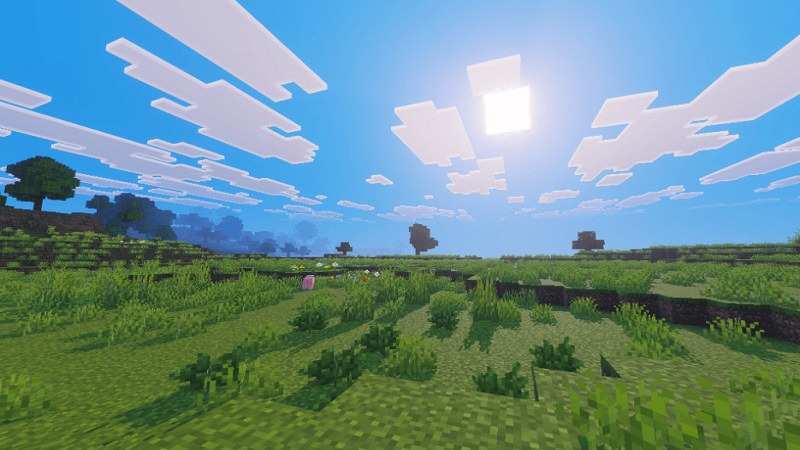
Unlike shaders made for Java Edition or high-end PCs, Chromatic Visuals Shader is optimized for MCPE and Bedrock players. You don’t need advanced knowledge or complex configuration menus. Activate the shader, load your world, and you immediately notice the difference—brighter days, smoother evenings, and calmer nights.
This makes it a strong option for players who want a better-looking game without learning new systems.
What Enhanced Lighting Means in MCPE
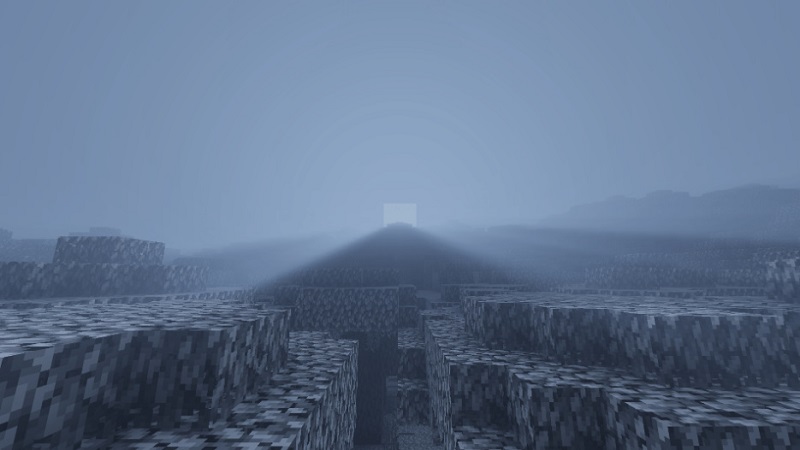
Enhanced lighting means improving how light appears and transitions in the game world. With Chromatic Visuals Shader, light feels more natural and consistent throughout the day.
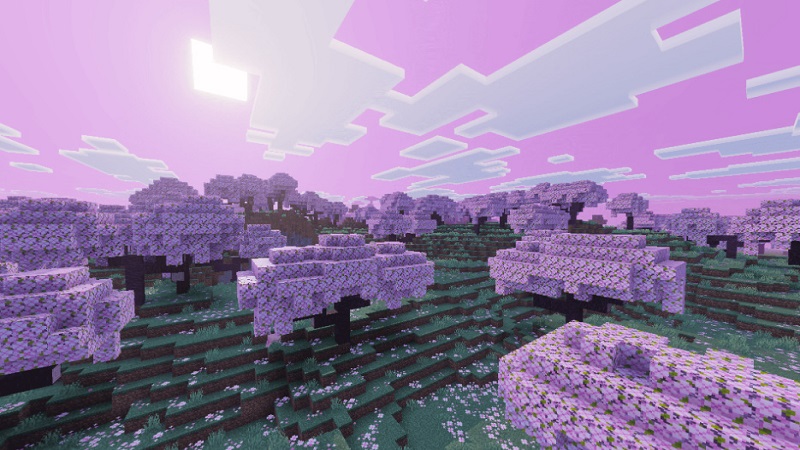
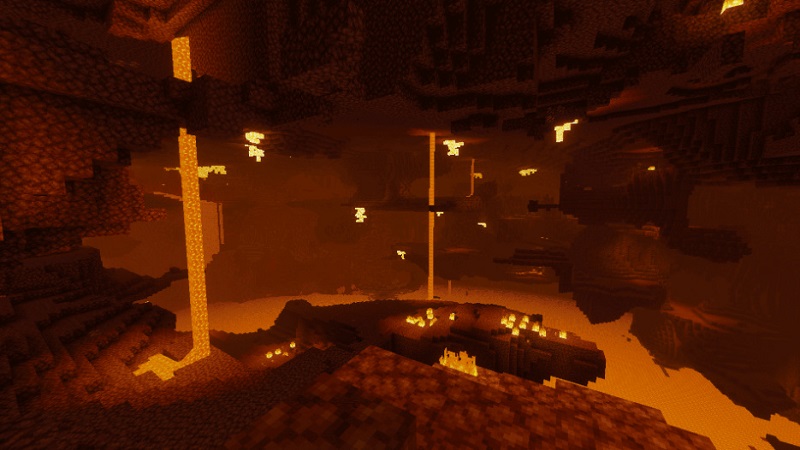
During daytime, lighting looks cleaner and evenly balanced. Sunsets and sunrises shift into warmer tones, creating smooth color transitions instead of sudden changes. At night, lighting stays soft and readable, which is important when playing on smaller mobile screens.
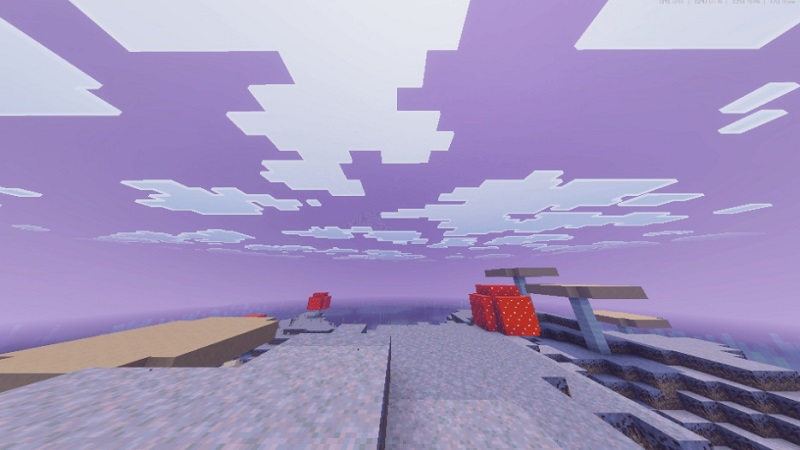
The shader also softens shadows and reduces extreme contrast. This adds depth to landscapes without making areas too dark or distracting. Forests, plains, and mountains feel more alive, but still easy to navigate.
Visual Improvements Without Gameplay Changes
One of the biggest reasons players choose Chromatic Visuals Shader is that it does not affect gameplay. It only changes how the world looks, not how it works.
You can safely use it in:
- Survival mode
- Creative mode
- Single-player worlds
- Multiplayer environments
There are no balance changes, no new mechanics, and no learning curve. This makes the shader suitable for casual players, builders, and long-term survival worlds alike.
Supported Devices & Bedrock Versions
Chromatic Visuals Shader is built specifically for Minecraft Bedrock Edition, making it compatible with a wide range of devices, including:
- Android phones and tablets
- iOS devices
- Windows Bedrock Edition
Because it avoids heavy rendering techniques, it runs well on many mid-range and older devices. This accessibility is a major advantage for the MCPE community.
How It Affects Performance
Performance is a core design goal of Chromatic Visuals Shader. Instead of using demanding visual effects, it applies optimized lighting and color adjustments.
You can expect:
- Stable performance on supported devices
- Minimal impact on gameplay responsiveness
- Best results with moderate render distance settings
Compared to heavier shaders, it’s better suited for longer play sessions, especially on mobile.
Common Questions & Clarifications
To avoid confusion, here are a few important points:
- The shader is visual-only and adds no new features
- It does not replace texture packs
- It works with most maps and addons
- It is not designed for ultra-realistic PC visuals
- The focus is clean, cinematic lighting and color balance
Knowing this helps you set the right expectations before installing.
Tips for First-Time Shader Users
If you’re new to shaders on MCPE, keep these tips in mind:
- Use medium render distance for balance
- Avoid running multiple shaders at once
- Test the shader in a creative world first
- Combine with compatible resource packs if you like
- Restart the game if visuals don’t apply immediately
Small adjustments can noticeably improve your experience.
Conclusion Is It Right for You?
Chromatic Visuals Shader is ideal if you want better lighting and atmosphere without complexity. It’s especially suited for mobile and Bedrock players who care about performance, clarity, and ease of use.
Whether you enjoy building, exploring, or casual survival, this shader enhances Minecraft’s visuals while preserving its original feel. For both beginners and experienced players, Chromatic Visuals Shader offers a reliable, polished way to upgrade your Bedrock experience—simply, safely, and effectively.