
Lumenix Shader Realistic Lighting for Minecraft Bedrock
Lumenix Shader is a lightweight visual shader made for Minecraft Bedrock Edition (MCPE). It focuses on improving lighting, atmosphere, and overall visual depth while keeping gameplay smooth on mobile and low-end devices. If you enjoy Minecraft’s original style but want the world to feel more alive and polished, this shader is designed with you in mind.
Instead of adding heavy effects or complex visuals, Lumenix Shader refines what already exists. It enhances how light interacts with blocks, water, and the environment, creating a more natural look without changing how the game plays.
Introduction What Lumenix Shader Offers
Lumenix Shader is built specifically for MCPE and Bedrock platforms, where performance matters as much as visuals. Its goal is simple: improve lighting clarity and atmosphere while staying friendly to phones, tablets, and Bedrock PCs.
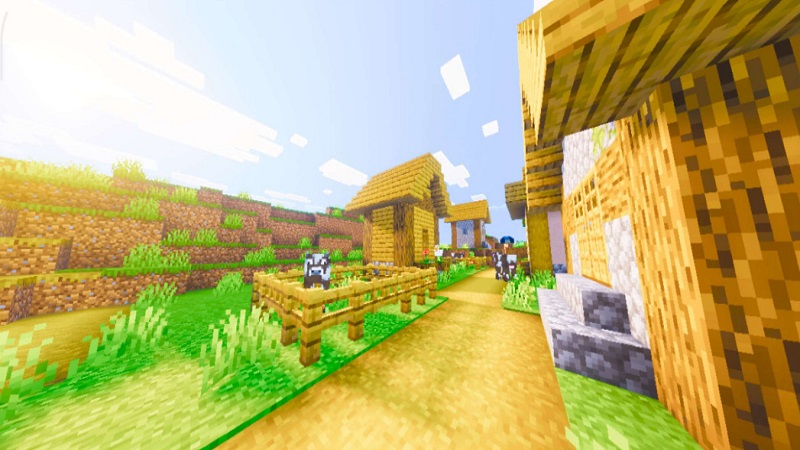
Many players want better graphics but don’t want to deal with lag, overheating, or complicated setup. Lumenix Shader answers that need by offering a clean visual upgrade that feels natural in survival worlds, creative builds, and long-term saves.
Visual Style and Lighting Quality
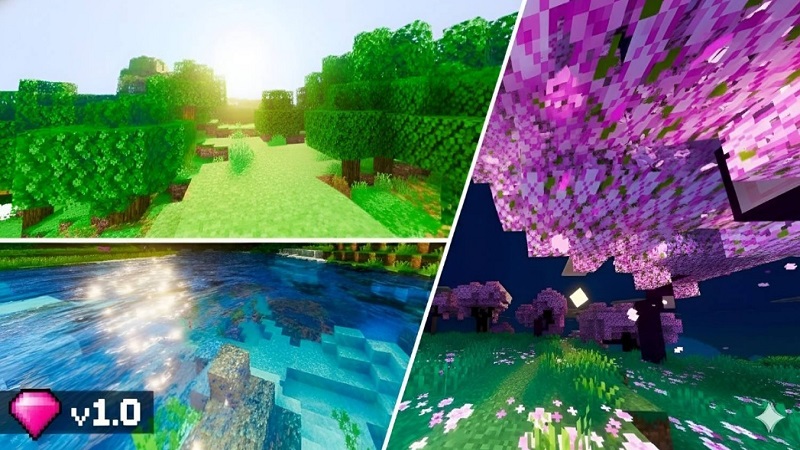
The visual style of Lumenix Shader stays close to vanilla Minecraft. Colors remain familiar, but lighting feels more balanced and realistic.
You’ll notice softer sunlight during the day and smoother shadows around terrain and buildings. Indoor spaces feel more comfortable thanks to better light transitions, which makes houses and underground bases easier on the eyes.
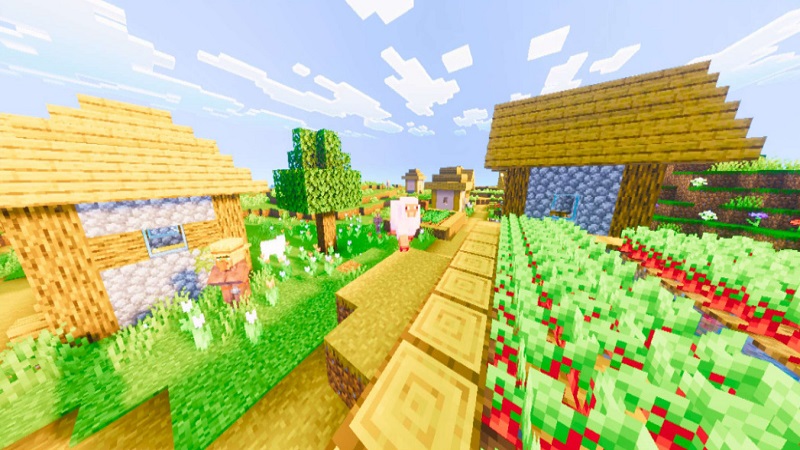
Rather than overpowering textures, Lumenix Shader enhances atmosphere subtly. Forests feel calmer, plains look brighter, and oceans gain depth—all while preserving Minecraft’s original charm.
Performance on MCPE Devices
Performance is a top priority for MCPE players, and Lumenix Shader is designed around that reality.
The shader avoids advanced visual effects that often cause frame drops. Instead, it uses optimized lighting techniques that work well with the Bedrock engine. This makes it suitable for:
- Android and iOS devices
- Windows Bedrock Edition
- Survival and creative gameplay sessions
Performance may vary depending on your device, render distance, and active resource packs. For the best experience, it’s recommended to keep standard settings and avoid stacking multiple heavy visual packs.
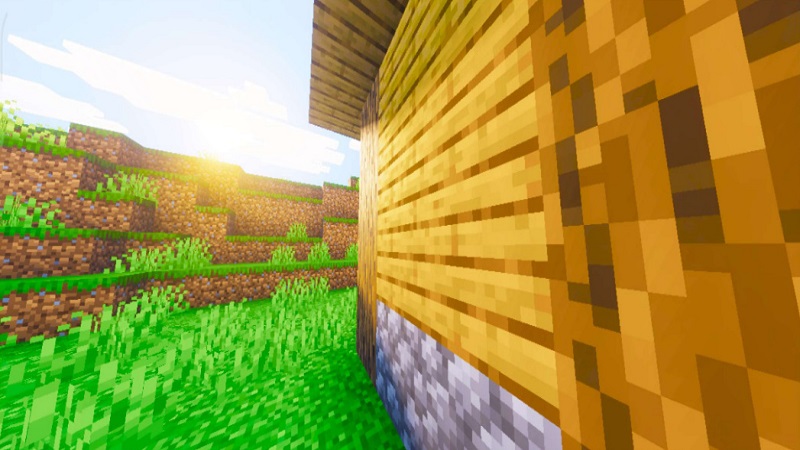
For mobile players, this focus on stability means you can enjoy improved visuals without worrying about overheating or frequent lag.
Comparison with Popular Bedrock Shaders
Many Minecraft Bedrock shaders aim for extreme realism or cinematic effects. While impressive, they often require stronger hardware and frequent adjustments.
Lumenix Shader takes a different path:
- It improves lighting without stressing your device
- Visuals remain comfortable for long play sessions
- Updates focus on compatibility with modern Bedrock versions
Instead of being a showcase-only shader, Lumenix is meant for everyday use. It’s a practical option if you want better visuals without constantly tweaking settings.
Pros of Using Lumenix Shader
- Natural and realistic lighting
- Improved atmosphere across different biomes
- Performance-friendly design for MCPE
- Compatible with standard texture packs
- Works well in survival, creative, and exploration
- Preserves Minecraft’s original art style
These strengths make Lumenix Shader a flexible choice for many Bedrock players.
Limitations to Consider
To make a clear decision, it’s important to understand what Lumenix Shader does not aim to be:
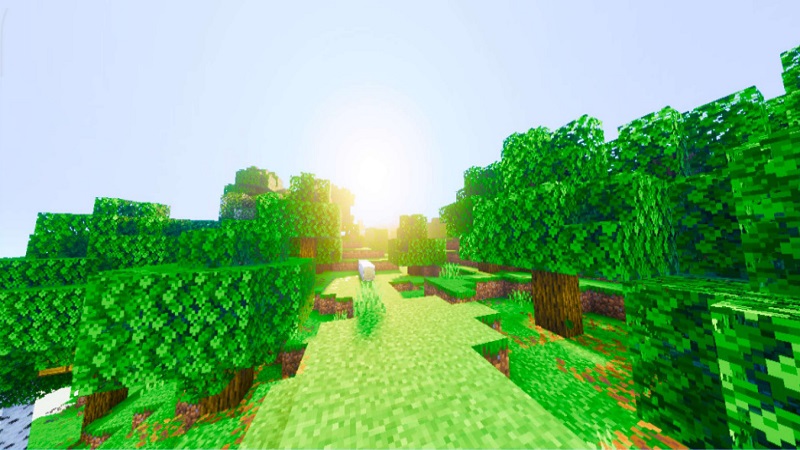
- Visual changes are subtle, not dramatic
- No ray tracing or cinematic effects
- Performance depends on device hardware and settings
- Players seeking ultra-realistic graphics may prefer heavier shaders
Knowing these limits helps you decide if this shader matches your expectations.
Ideal Player Types
Lumenix Shader is a great fit if you are:
- An MCPE player who values smooth performance
- A survival player who enjoys better atmosphere
- A builder looking for cleaner lighting
- A long-term world player who prefers stability
- A casual player wanting a simple visual upgrade
Whether you play for short sessions or long adventures, the shader adapts well to different play styles.
Recommended Settings
For the best results with Lumenix Shader:

- Keep brightness at default or slightly lower
- Enable Fancy Graphics if supported
- Use a reasonable render distance on mobile
- Avoid stacking multiple shaders or heavy packs
- Restart Minecraft after activation
These steps help maintain consistent visuals and stable performance.
Final Recommendation
Lumenix Shader is a reliable visual enhancement for Minecraft Bedrock Edition, especially for MCPE players who want better lighting without sacrificing comfort or stability.
It focuses on balance rather than extremes, making it ideal for everyday gameplay. If you want your Minecraft world to look cleaner, brighter, and more immersive—while still running smoothly—Lumenix Shader is a smart option to consider.