
Warm Shaders for Minecraft Bedrock Edition
Warm Shaders transforms your Minecraft Bedrock Edition world into a vibrant, sun-lit landscape where every block glows with warmth and depth. Designed especially for MCPE players, it combines beauty and performance, bringing realistic lighting and golden tones to your adventures — without lag or overheating your device.
If you’ve ever wanted Minecraft to feel more alive, this shader is the easiest way to make that happen.
Overview – What Makes Warm Shaders Special
Unlike ordinary visual packs, Warm Shaders doesn’t just add brightness — it changes how light behaves. The result is a world filled with natural glow and atmosphere.
Forests appear lush, deserts feel sun-baked, and evenings glow like a real golden hour.
Created for Minecraft Bedrock and mobile platforms, this shader focuses on two priorities:
Delivering immersive, cinematic lighting
Maintaining smooth gameplay on all supported devices
Whether you’re a builder, an explorer, or a casual player, Warm Shaders makes your worlds look stunning while keeping performance stable.
Core Features and Technical Advantages
Warm Shaders is all about balance — rich visuals that run effortlessly on MCPE. Here’s what sets it apart:
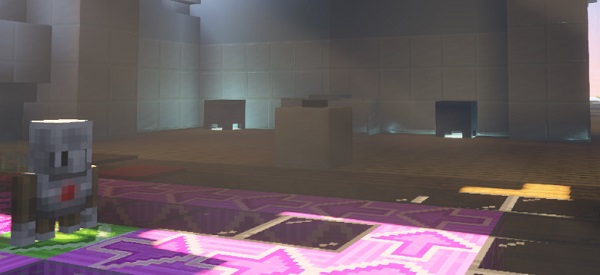
Golden Hour Lighting: Dynamic sunlight gives landscapes a realistic amber tone from dawn to dusk.
Natural Water Reflection: Lakes and oceans shimmer softly, mirroring the warm sky above.
Balanced Ambient Light: Shadows fade gently, creating smooth transitions and reducing harsh contrasts.
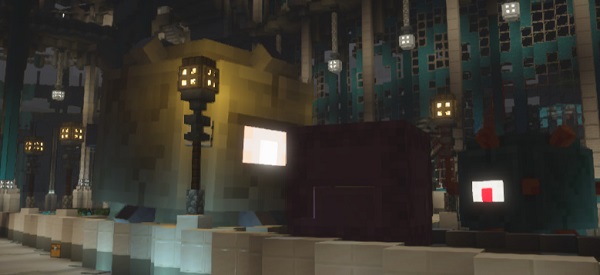
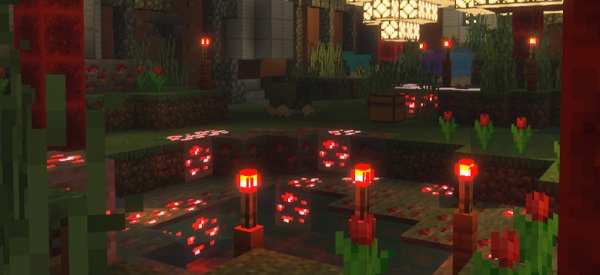
Soft Bloom and Glow: Light sources like torches or lava give off a natural, cozy halo.
Optimized for Mobile Devices: Expect 40–60 FPS even on mid-range phones and tablets.
Consistent Color Grading: Every biome keeps a unified, pastel-warm palette for immersive harmony.
At a Glance:
| Feature | Benefit |
|---|---|
| Golden Hour Lighting | Realistic warmth and mood |
| Ambient Balance | Comfortable visuals for long sessions |
| Soft Glow Effects | Natural nighttime lighting |
| Mobile Optimization | Stable FPS and low battery use |
Installation and Compatibility Guide
Getting Warm Shaders running in Minecraft Bedrock Edition is simple and safe:
Download the .mcpack file from a verified Minecraft resource source.
Open the file to automatically import it into Minecraft.
Go to Settings → Global Resources → My Packs, then activate Warm Shaders.
Restart Minecraft to apply the changes.
Compatibility:
Works on Android, iOS, and Windows Bedrock
Supports Minecraft 1.20+
Disable other shaders to avoid lighting conflicts
If you experience minor lag, reduce render distance to 10–12 chunks or lower brightness slightly.
Tips for the Best Visual Experience
To make your world shine with Warm Shaders:
Adjust brightness to 70–80% for natural tone balance.
Combine with warm or autumn-themed texture packs for enhanced color harmony.
Play at sunrise or sunset for breathtaking screenshots.
Close background apps to keep performance smooth.
These small tweaks can make your world feel cinematic and relaxing at the same time.
Why Players Love Warm Shaders
Players who use Warm Shaders for MCPE often describe it as “the golden-hour shader” — simple to use, visually inviting, and incredibly atmospheric. It’s perfect for those who love creative builds, cozy exploration, or aesthetic screenshots.
It doesn’t just light your world — it changes how you feel when you play.
Conclusion
Warm Shaders for Minecraft Bedrock Edition proves that great visuals don’t have to slow your game. With its balanced lighting, realistic glow, and mobile-friendly design, it turns ordinary gameplay into something truly cinematic.
If you want your Minecraft world to look warm, natural, and alive, install Warm Shaders today and experience the golden side of Minecraft.