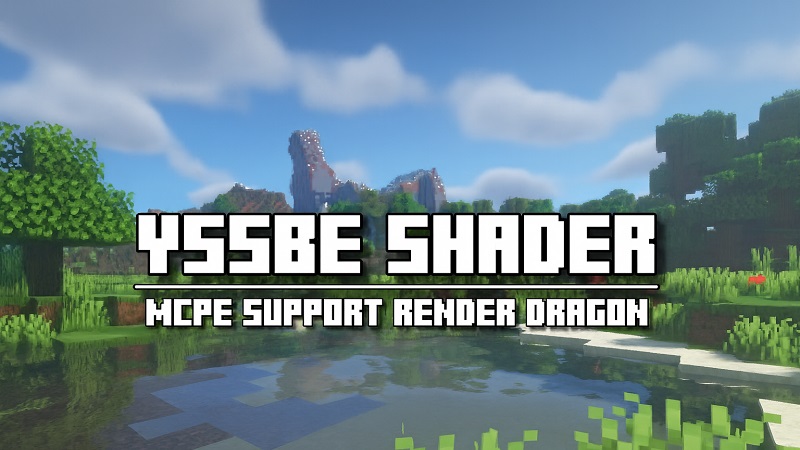
YSSBE Shader for Minecraft Bedrock Edition
The YSSBE Shader is a lightweight yet powerful graphics upgrade designed specifically for Minecraft Bedrock Edition (MCPE). Built for mobile and low to mid-range devices, it enhances the game with realistic lighting, smoother shadows, and vibrant colors — all without draining performance. If you’re someone who enjoys survival challenges, creative builds, or simply wandering through different biomes, YSSBE Shader transforms your world into a more cinematic and immersive place while keeping gameplay smooth and enjoyable.
Why Players Love YSSBE Shader in Minecraft Bedrock
Players are drawn to YSSBE Shader because it brings noticeable visual improvements without demanding expensive hardware. Instead of sacrificing frame rates, you can enjoy:
Stable performance at 30–60 FPS on most MCPE-compatible devices.
A visually richer environment with improved light, shade, and atmosphere.
A shader that’s mobile-friendly yet doesn’t compromise on immersion.
This balance makes YSSBE Shader one of the most practical choices for everyday Bedrock players who want to enhance their worlds without frustration.
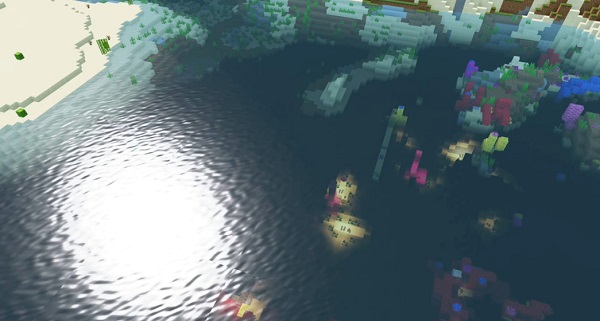
Best Visual Upgrades: Lighting, Shadows, Water, Colors
The YSSBE Shader upgrades Minecraft’s visuals in subtle yet powerful ways:
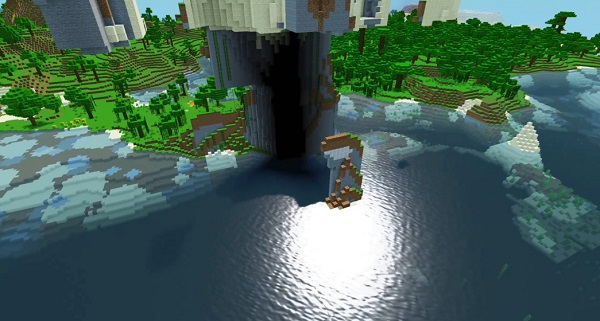
Dynamic Lighting & Real-Time Shadows: Soft shadows follow the sun and moon, while torches and lanterns cast a natural glow that adapts to your surroundings.
Water Enhancements: Lakes and rivers reflect the sky and terrain, with ripples and wave animations that make water look alive.
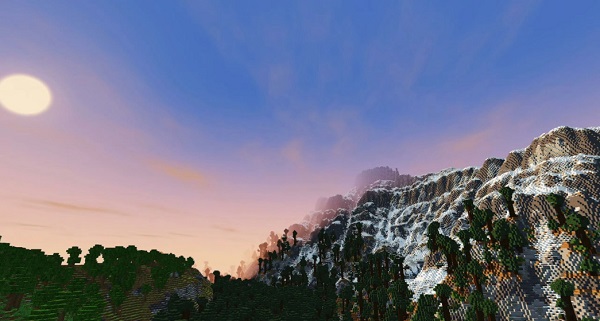
Color Grading & Atmosphere: Warm tones enrich sunrises and sunsets, vibrant greens highlight midday landscapes, and cool blues set the mood at night.
Bloom & Glow Effects: Bright blocks such as glowstone shine with a soft aura, making caves and builds more atmospheric.
Ambient Occlusion: Subtle shading in block edges and corners adds depth, giving structures a more realistic appearance.
These features turn the simple, blocky world of Minecraft into an environment that feels more dynamic, engaging, and true to life — while still being optimized for MCPE performance.
How YSSBE Shader Improves Gameplay in MCPE
The shader does more than improve visuals — it changes how you experience the game:
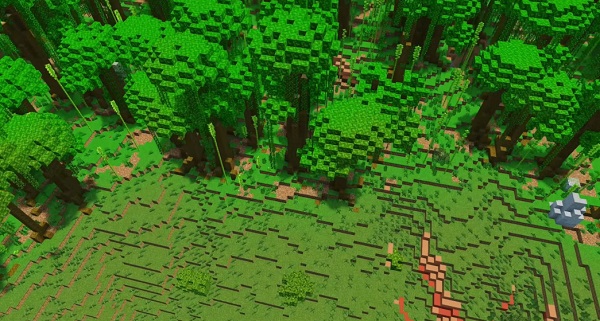
Exploration becomes cinematic, with biomes that feel distinct and alive. Jungles appear denser, deserts glow warmly, and snowy plains sparkle under natural lighting.
Creative Building feels more rewarding, as enhanced lighting and shadows highlight architectural details.
Photography & Content Creation are easier, with shaders producing screenshots and videos that look polished straight from the game.
Survival Mode becomes more immersive, as realistic lighting in caves and villages makes each adventure feel fresh and exciting.
Device Compatibility: Low-End, Mid-Range, and High-End
One of YSSBE Shader’s strongest qualities is its versatility. It works across a wide range of devices, from entry-level phones to high-end tablets.
Low-End Devices: Reduced settings still deliver smoother lighting and color improvements.
Mid-Range Devices: Most visual effects can run smoothly without dropping performance.
High-End Devices: Players can enable advanced options such as bloom, higher-quality shadows, and god rays for a more cinematic feel.
With adjustable settings, YSSBE Shader allows you to fine-tune the experience based on your device’s capabilities.
Comparison with Other MCPE Shaders (Pros & Cons)
When compared with other options, YSSBE Shader stands out as a balanced solution.
Pros:
Smooth performance on a wide range of devices.
Customizable settings for flexibility.
Natural improvements in lighting, water, and overall atmosphere.
Cons:
Less dramatic than heavy, ultra-realistic shaders.
Does not include advanced cinematic features that require powerful hardware.
For players who prioritize accessibility and stability, YSSBE Shader delivers the best of both worlds.
Tips to Get the Most Out of YSSBE Shader
To maximize your experience, follow these simple steps:
Begin with medium presets, then enable advanced features gradually.
Test the shader in different biomes to see how effects vary across landscapes.
Pair with lightweight texture packs (16×16 or 32×32) to maintain smooth FPS.
Keep your Minecraft Bedrock Edition updated to avoid compatibility issues.
Always backup your shader files before updating or switching versions.
These adjustments help you enjoy the shader fully while keeping gameplay smooth.
Final Review: YSSBE Shader’s Value for Bedrock Players
For Bedrock and MCPE players, the YSSBE Shader is an excellent way to enjoy richer visuals without compromising performance. It provides a cinematic touch that makes exploration, building, and survival more engaging. Whether you play on a budget phone or a high-end tablet, YSSBE Shader adapts to your hardware and delivers a polished experience.
If you’re looking for a shader that balances beauty, immersion, and smooth performance, YSSBE Shader is one of the best choices you can make for Minecraft Bedrock Edition.